I’m sharing this as a quick guide for anyone who wants to put their iPhone in black-and-white after my video. This is for iPhones.
Firstly, make sure your phone is set to grayscale via Settings → Accessibility → Display & Text Size → Color Filters → Grayscale.
Steps to create the shortcuts:
1. Open the Shortcuts app.
2. Go to the Automation tab and tap the + button.
3. Search "App" and look for "When (app) is opened or closed"
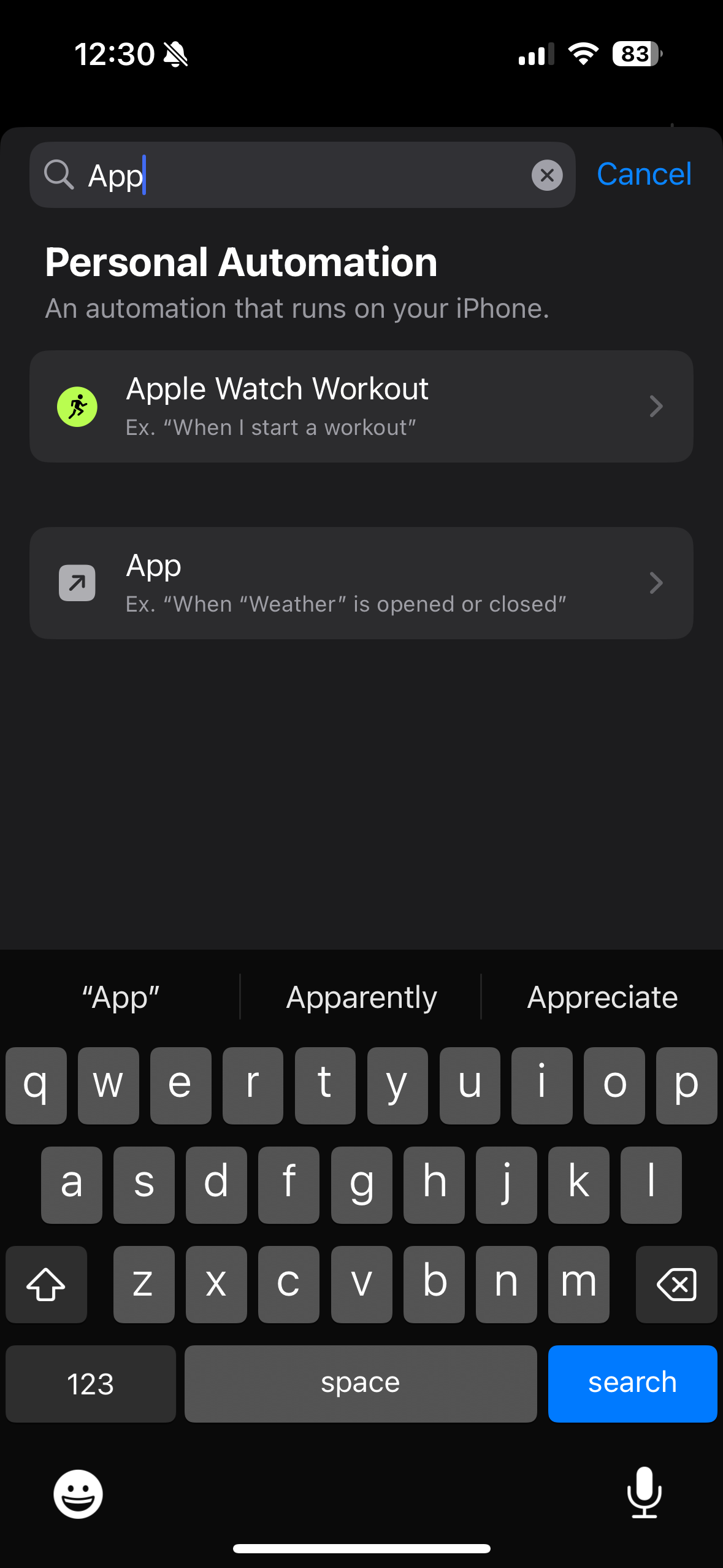
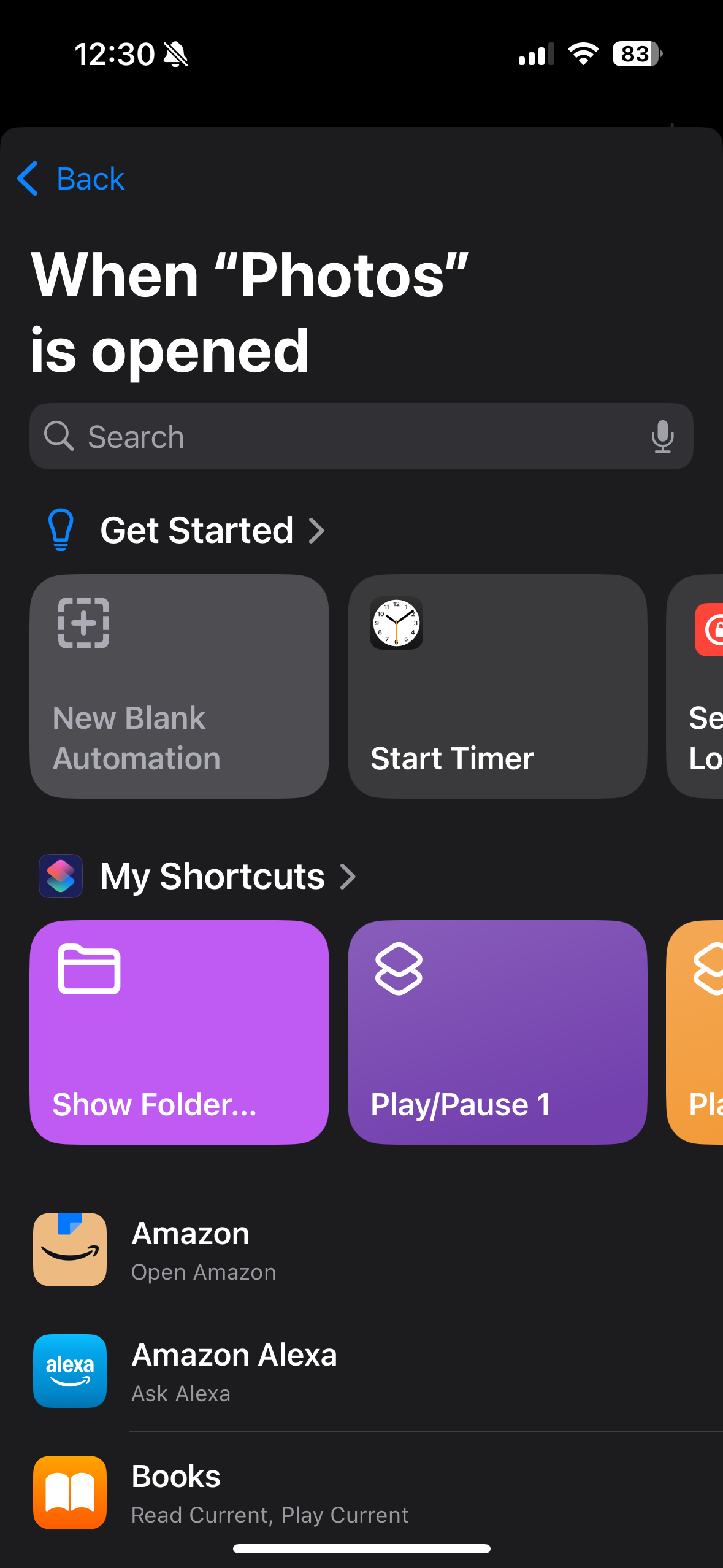
- Choose App → Choose, then pick the app(s) you want.
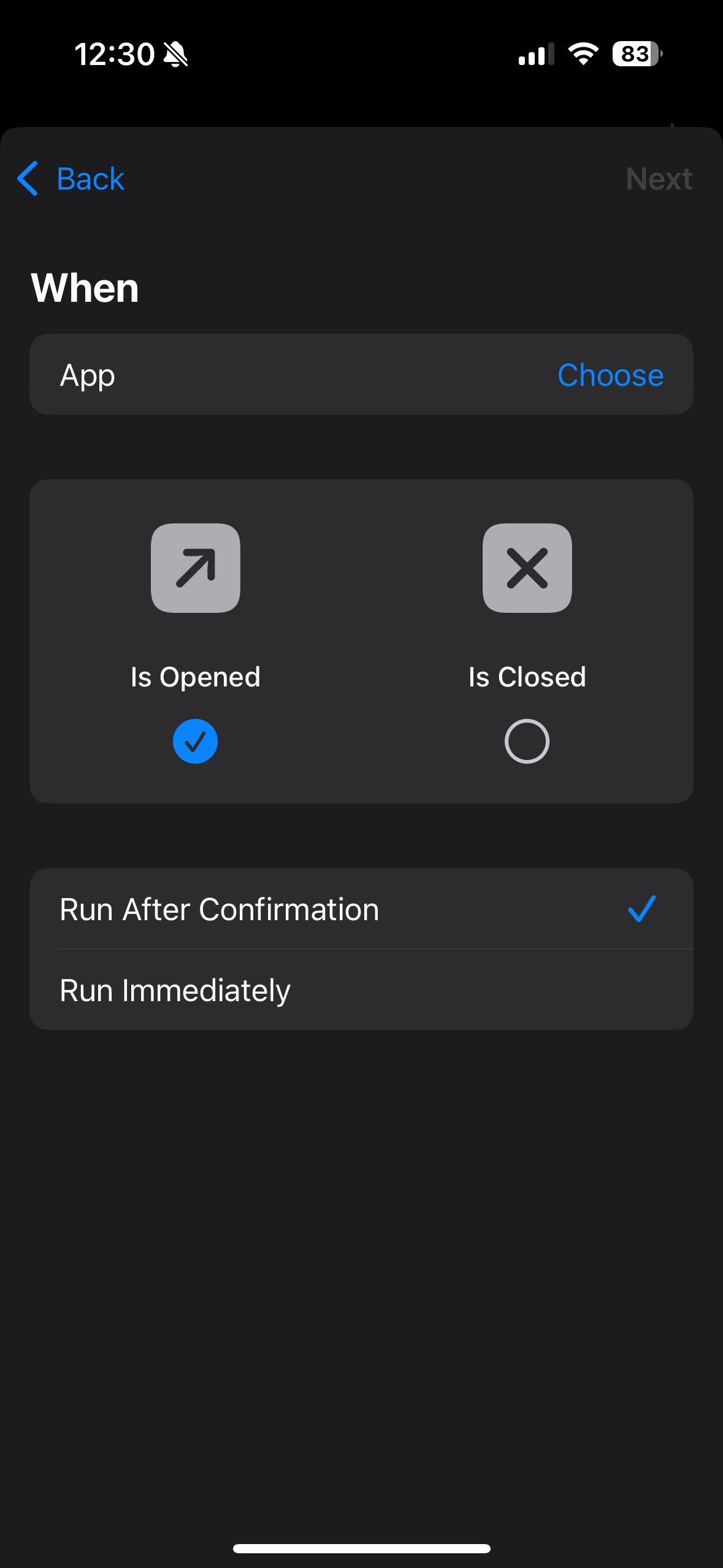
- Select Is Opened (you’ll make a second automation for Is Closed after this).
- Tap Next.
- Tap Add Action, search for Set Color Filters, and select it.
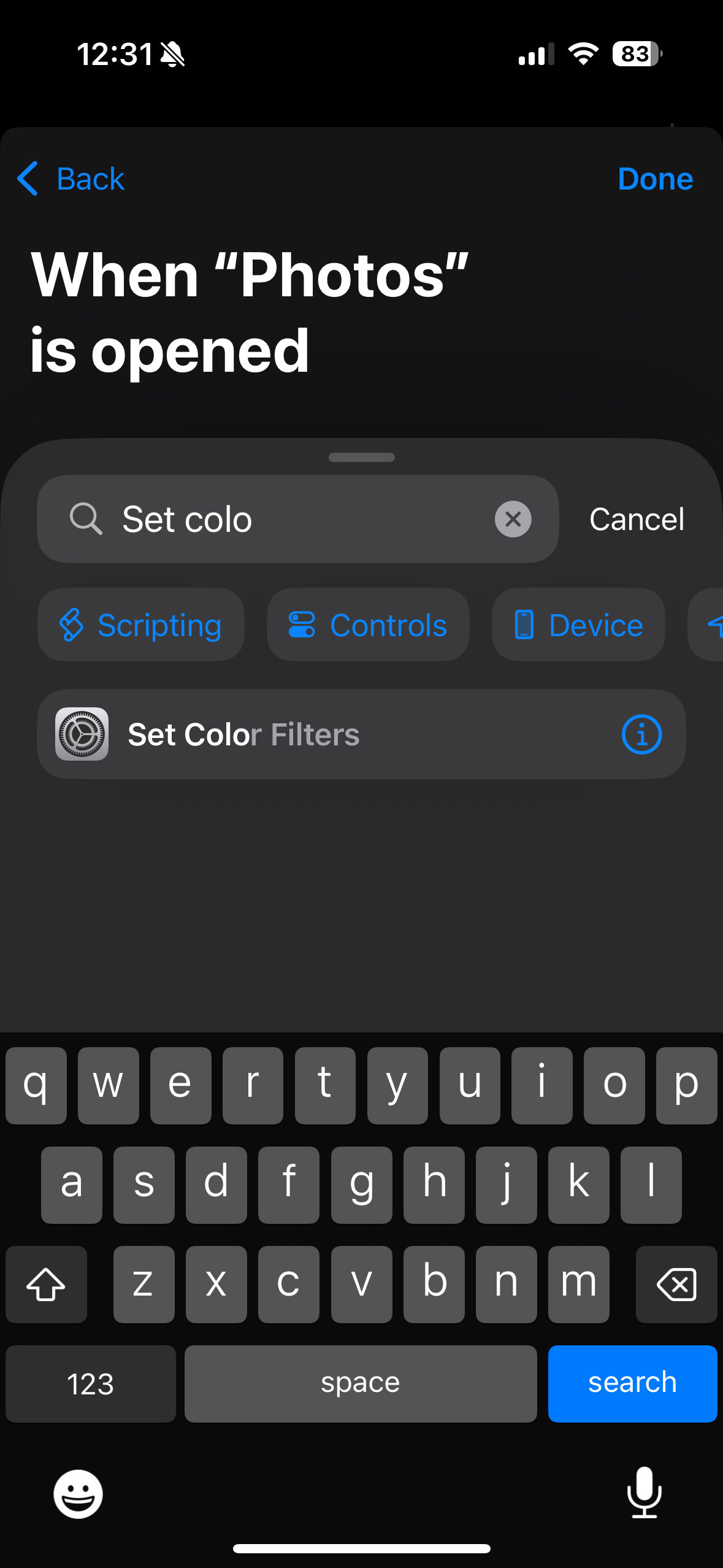
- Set it to Turn Color Filters Off.
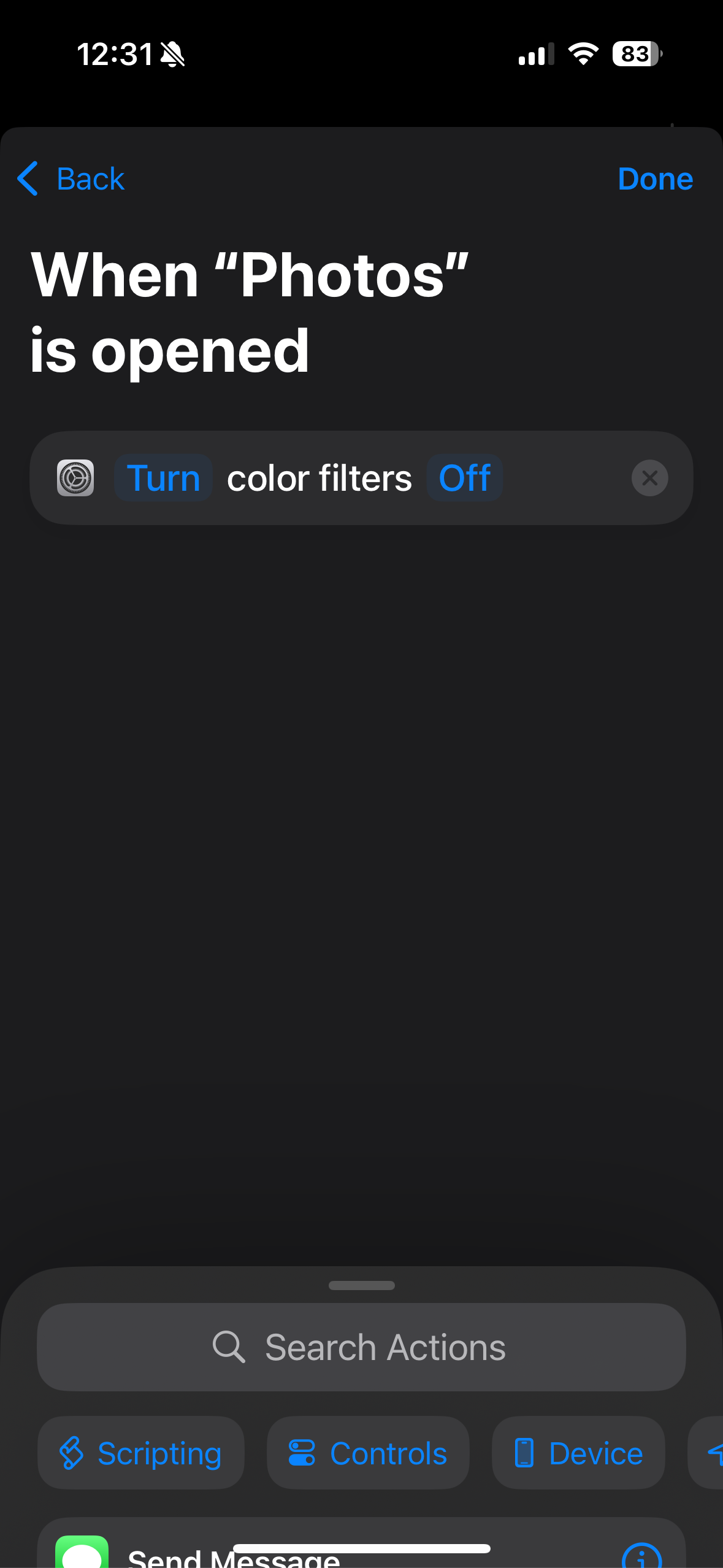
- Tap Done, optionally turn off Notify when Run (I turn it off), then tap Done.
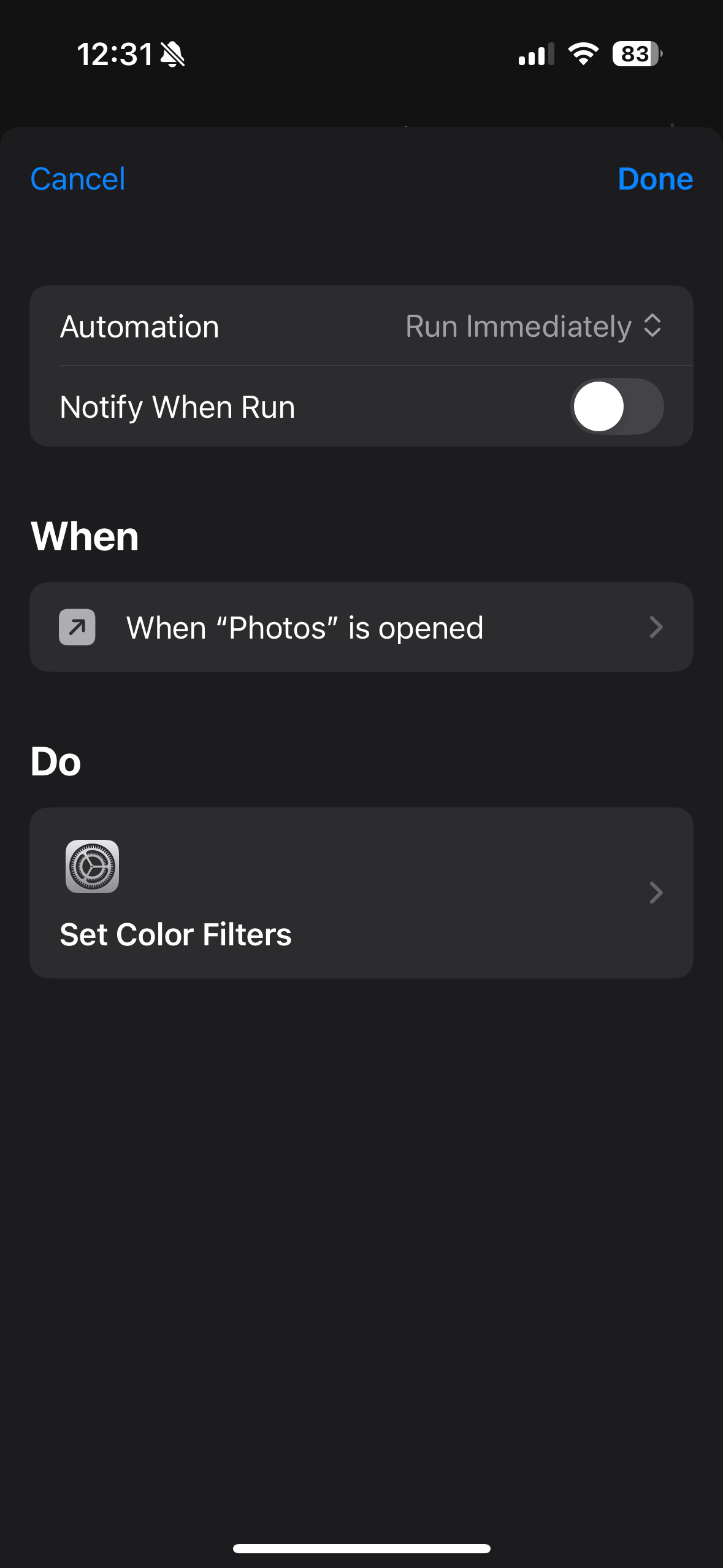
Now repeat the steps to make the “closed” version:
- In step 5, select Is Closed.
- In step 8, set it to Turn Color Filters On.
That's really it. I'm sure there's probably a better way to do this but this is how I have it set up. If I need to add apps to the shortcuts, I can just open the already made shortcut and click on the app selection, which allows me to add/remove apps as I want.